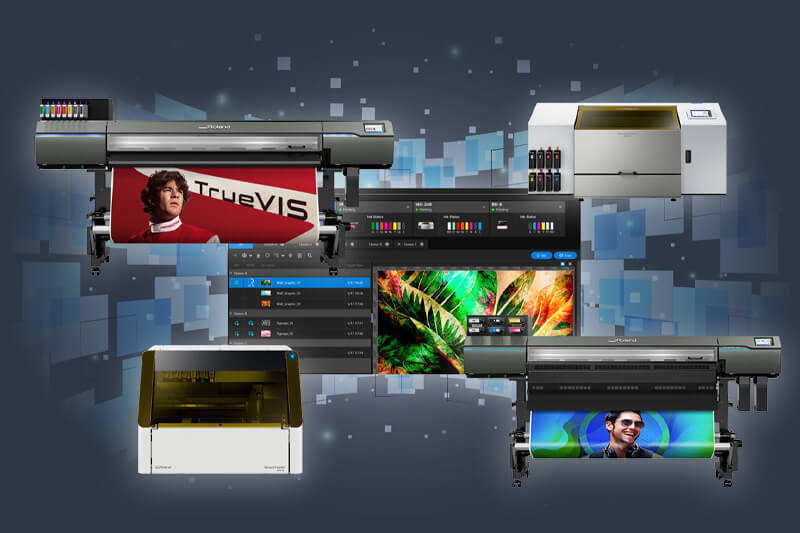
When it comes to professional print production, having the right RIP (Raster Image Processor) software is key to unlocking speed, colour precision and workflow simplicity. With VersaWorks 7, Roland DG delivers the most advanced and user-friendly RIP in its class – and it’s included free with new Roland DG printers or available as a no-cost upgrade for Roland DG customers via Roland DG Connect.

Whether you're managing multi-printer queues in a high-output print shop or helping a small studio achieve perfect brand colours, VersaWorks 7 offers a streamlined and powerful experience that adapts to any print environment.
Why Upgrade to VersaWorks 7?
VersaWorks 7 has been engineered to deliver results where it counts – on speed, colour, ease of use, and connectivity. Here’s why print professionals are making the switch:
1. Speed That Delivers
With up to 3.9 × faster RIP performance and a
62% boost in available memory from the previous version,
VersaWorks 7 easily handles even the most complex, layered files. From rich,
image-heavy signage to high-resolution labels with special effects, it keeps
production flowing smoothly.
Our users report significantly faster job processing, especially when
working with modern design files that rely on blur, transparency, and
layered elements.
2. Colour That Stands Out
VersaWorks 7 delivers exceptional colour control through Roland’s
True Rich Color technology, built-in
PANTONE® libraries and a powerful
spot colour matching engine. Whether you're printing
brand-critical campaigns or producing short-run packaging, you can trust your
output will be consistent and vibrant.
Colour accuracy and repeatability are vital. VersaWorks 7 makes it easy to
hit the mark, every time.
3. A User Interface That Works for Everyone
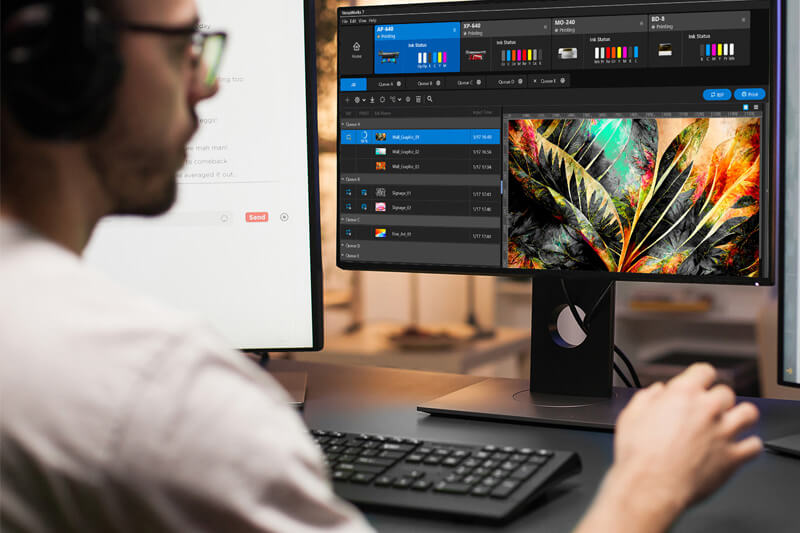
The modern UI features
light and dark themes, intuitive drag-and-drop functionality,
real-time previews, and simplified layout controls. It’s designed to reduce
set-up time and eliminate errors, whether you're a seasoned user or a
first-time operator.
For the inexperienced, this means:
- Minimal training required
- Easy access to key functions without digging through menus
- Visual, guided workflows that help prevent costly mistakes
From importing a file to setting up special print effects, VersaWorks 7 walks
users through each step with visual feedback and helpful defaults. This gives
newer users the confidence to produce professional-quality prints from day
one.
VersaWorks 7 has a clean, modern RIP interface that feels built for now and
the future.
4. One-Click Special Layer Generation
VersaWorks 7 makes advanced printing techniques more accessible than ever.
With a single click, users can auto-generate
white, gloss and primer layers, removing the need to manually
create these layers in design software. This dramatically
speeds up the design process and
simplifies complex prepress steps, making advanced finishes
easy to produce even for novice designers.
Auto-generating spot colours reduces complexity in the design process for
novice designers and speeds up production – no more building
white/gloss/primer data manually. VersaWorks 7 handles it for you!
5. Native macOS Support
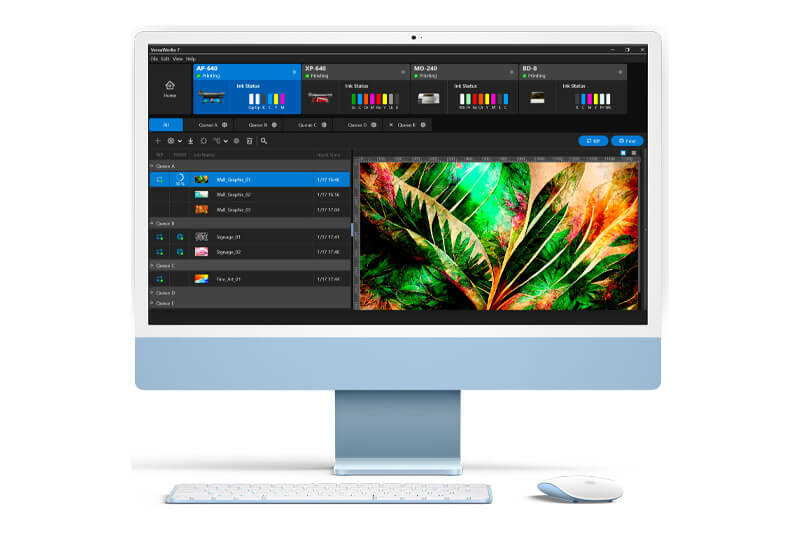
Creative professionals using Apple hardware can now enjoy native VersaWorks support on Apple Silicon Macs. That opens up a new user base in design-led environments like agencies, fashion studios, and education sectors. Previously, macOS users had to rely on workarounds or dual systems to access VersaWorks RIP functionality. With native support, they can now:
- Run VersaWorks 7 directly on macOS without emulation
- Take full advantage of M1/M2 chip performance
- Integrate seamlessly into Mac-based creative workflows
This opens the door for design teams that rely on Macs, making VersaWorks 7 a true cross-platform solution.
6. Seamless Roland DG Connect Integration
VersaWorks 7 connects directly with Roland DG Connect, creating a smarter, more streamlined printing experience. This powerful integration helps users stay in control of their print operations with greater visibility and less downtime. What does this mean in practice?
- Remote Monitoring – Track printer status, ink levels, and print queues from anywhere
- Analytics & Usage Reports – See trends, material usage and job performance
- Automated Updates – Always stay current with the latest profiles and firmware
- Maintenance Alerts – Reduce downtime with real-time servicing info
Together, VersaWorks 7 and Roland DG Connect reduce manual steps, improve planning, and simplify support – helping users focus more on creativity and output. VersaWorks 7 integrates natively with Roland DG Connect, providing powerful remote management, analytics, maintenance tools, media libraries, and automatic updates, turning every print device into a smart production hub.
Who’s It For?
VersaWorks 7 is designed to serve every type of print business, from agile independents to enterprise-level operations:
- Signage & Graphics – high throughput, fleet consistency
- Interior Décor – bespoke walls, textured prints, dimensional effects
- Retail & Education – simple workflows for non-technical teams
- Packaging & Product Designers – faster mock-ups and prototypes with special effects
- Creative Studios – macOS, as well as Windows, users benefit from native compatibility
It’s the ideal RIP for anyone from high-volume production teams to start-ups trying digital printing for the first time.
Ready to Upgrade
If you're already running VersaWorks 6, you can upgrade today through
Roland DG Connect.
New users? It’s included with every supported Roland DG device.
Need help getting started? Contact us for marketing assets, training or a demo.